Quick answer: To offer a WooCommerce first-order discount, create a percentage or fixed-amount coupon under Marketing → Coupons. But if the promotion must be limited to customers who have never purchased before, the standard coupon’s Usage limit per user = 1 is not enough on its own. That limit controls repeated use of a particular coupon; it does not prove a shopper is a first-time buyer. Use a documented new-customer restriction from a suitable extension or add carefully tested server-side eligibility logic.
There is an important difference between a welcome coupon, a genuinely first-purchase-only offer, and a first-month subscription discount. This guide explains which rule each needs, how to set up the basic coupon, what can go wrong with guests, and how I would test the entire checkout before advertising it.
First-order discount versus ordinary coupon: what is the difference?
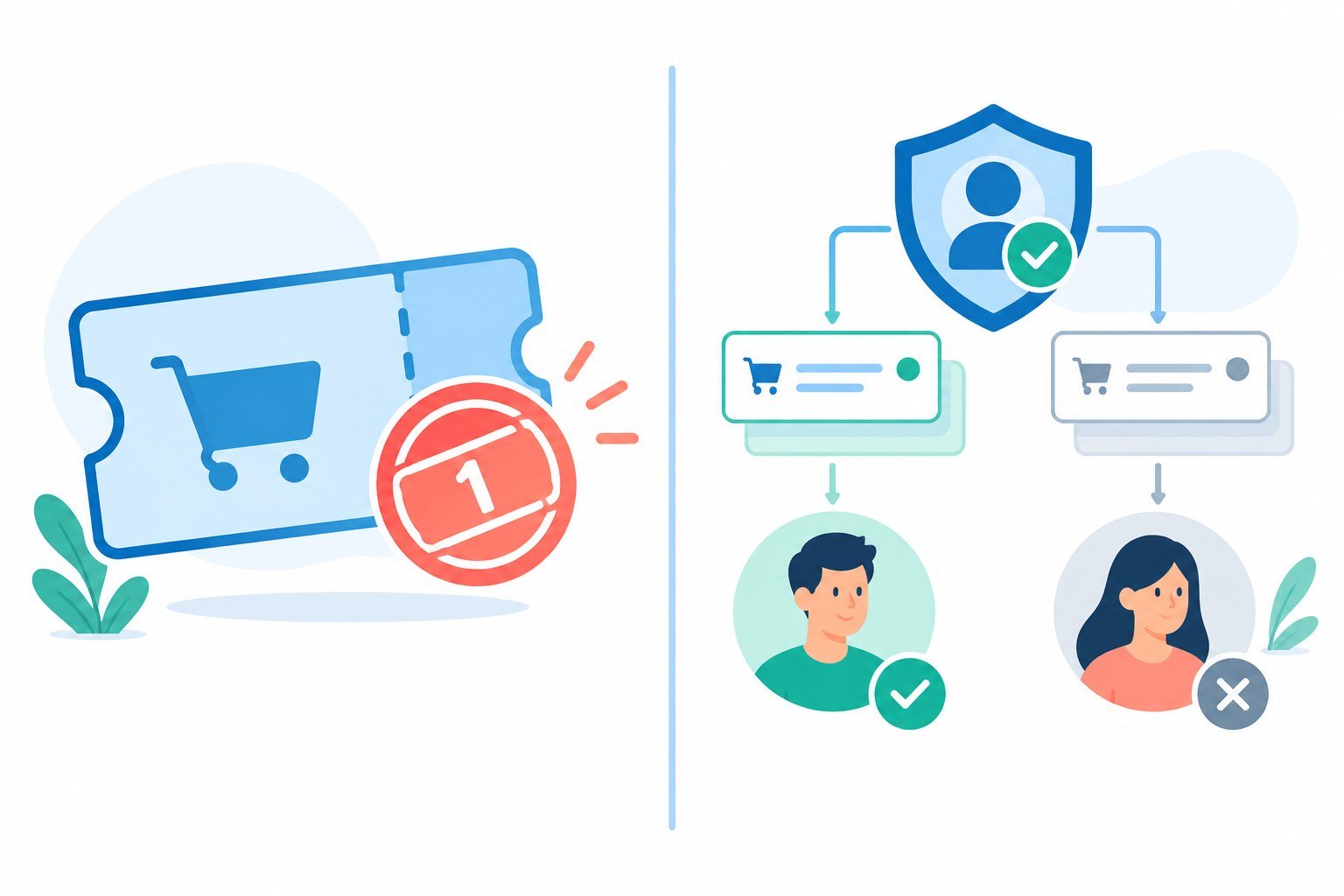
Consider a store advertising WELCOME15 for 15% off a shopper’s first order. It needs to answer two separate questions: Is the coupon valid for this cart? and Has this person already bought from the store? WooCommerce core handles coupon amount, products, categories, usage limits and allowed billing emails. A verified first-purchase rule is a different requirement.
| Offer | Typical configuration | What it does not automatically guarantee |
|---|---|---|
| 15% off with a public welcome code | Core percentage coupon plus product, spend and usage restrictions | That the shopper has never placed another order |
| One redemption of that particular code per customer | Core Usage limit per user = 1 | One first-ever purchase across different codes or accounts |
| First purchase only | New-customer eligibility in a compatible coupon extension or custom validation | Perfect fraud prevention for email aliases or shared identities |
| Discount only on the first subscription payment | WooCommerce Subscriptions coupon rules | The same result as a standard first-order coupon |
For the recurring-billing scenario, see the separate WooCommerce subscription coupon and first-month discount guide. Mixing those two offers can lead to an unexpected renewal price.
1. Define what “first order” means before creating a coupon
This is the part I would agree with the store owner before configuring anything. “New customer” might mean an account created today, a customer with no completed orders, no paid orders, or no earlier orders of any status. Those definitions are not equivalent.
- Customer identity: Is eligibility tied to a logged-in WordPress customer, billing email, or another verified customer record?
- Order status: Do processing or on-hold orders count as a previous purchase? What happens after a fully refunded order?
- Guest checkout: Will you accept orders from visitors without accounts? If so, how will earlier orders be matched safely?
- Scope: Is this the first order ever, the first purchase of a product, or the first purchase of a subscription?
- Discount rules: Are sale products, shipping charges, specific categories or other coupon codes excluded?
Example policy: “WELCOME15 gives a maximum of $15 off an eligible cart of $50 or more, only when the shopper has no earlier paid order identified by their verified account or billing email.” This is an illustrative policy, not a standard WooCommerce setting. The actual implementation must define the qualifying statuses and verify the chosen customer identity.
2. Create a standard WooCommerce coupon first
For the discount amount itself, start with WooCommerce’s built-in coupon screen, even if a separate eligibility extension will be added later.
- Go to WooCommerce → Settings → General and make sure coupon codes are enabled.
- Open Marketing → Coupons → Add new.
- Create a memorable code such as
WELCOME15. In the description, record the intended business rule and any campaign expiry. - Choose Percentage discount and enter 15, or choose Fixed cart discount if the offer is a fixed amount. Percentage and fixed-cart discounts behave differently.
- Under Usage restriction, configure the relevant minimum spend, excluded products/categories, sale-item policy and whether the coupon can combine with others.
- Under Usage limits, choose an appropriate limit per user and an optional total campaign cap. These are redemption controls, not proof that someone is new.
- Save the coupon and test it on staging before advertising it. Do not assume a coupon’s presence in the admin means the customer rules are correct.
Pricing example: A cart with $80 of eligible items and a 15% discount has a $12 product discount, leaving $68 before any relevant tax or shipping calculation. If your intention is 15% off up to $15, that maximum-discount requirement needs an additional supported rule or extension; it is not established merely by setting the percentage to 15.
WooCommerce’s official coupon-management documentation explains the standard settings and how discounts interact with tax, shipping and restrictions.
3. Enforce “new customers only” when that is the actual requirement
If returning customers must be excluded, do not label an ordinary public code “first order only” and rely solely on Usage limit per user. That setting may stop an individual from using the same coupon again, while a previous buyer who has never used the code may remain eligible.
Option A: Use a compatible extension with new-customer rules
WooCommerce documents two examples of extensions that add more explicit eligibility controls:
- Smart Coupons provides a For new customers? option. Its documentation describes checking prior orders for an account or billing-email history for guest checkout.
- Coupon Restrictions provides New customers only under the coupon’s usage restrictions. Its documentation explains how guest-order checks are configured and notes that its definition of “new” depends on completed-order history.
These are examples of documented capabilities, not a statement that the extensions share identical eligibility rules. Review their current compatibility with your checkout, order storage, payment methods and business definition before choosing one. They also have their own licensing and maintenance requirements.
Option B: Build a tailored WooCommerce eligibility rule
A custom plugin is appropriate when “first purchase” depends on order statuses, subscriptions, customer segments, B2B accounts, regional restrictions, or an external CRM. I would keep that logic in a plugin, not in a theme template, because it changes pricing and must survive a design change.
A production design should check eligibility server-side when the coupon is validated and again when checkout is finalized where necessary. It should use supported WooCommerce order/customer APIs rather than directly querying legacy wp_posts order rows, so it continues to work with High-Performance Order Storage (HPOS). It also needs a clearly defined approach to checkout concurrency: two open browser tabs should not both consume an offer that is genuinely limited to one first purchase.
I would not ship a copy-and-paste “first order” snippet that checks only is_user_logged_in() or counts orders in a single status. Both approaches can give misleading answers, especially with guest orders, cancelled orders and interrupted payments.
If you need those business rules, see my custom WordPress plugin development service and the WooCommerce HPOS compatibility checklist.
4. Guest checkout is where eligibility mistakes commonly appear
Guest shoppers do not necessarily have an account-linked order history. Depending on the chosen extension, eligibility may be checked against the billing email address or another documented mechanism. That can work for many normal purchases, but it has limits.
- A person may have used a different email address last time; an email-only check may not recognize them.
- Two family members may share an email or delivery address; aggressive identity matching can reject legitimate customers.
- A buyer might change billing details after the coupon is applied; the rule should still be checked at the correct server-side stage.
- A previous checkout may have been abandoned or failed; your policy must decide whether an unpaid attempt disqualifies the buyer.
- Payment confirmation can arrive after the customer leaves the checkout. Treat a gateway-authorized or captured amount separately from a page redirect or a browser message.
For the highest-value promotions, consider requiring an account or using a validated eligibility mechanism. Do not silently collect extra personal identifiers or introduce IP-based blocking without evaluating privacy, false positives and legal requirements. Even a careful rule is not a guarantee against deliberate coupon abuse.
5. Choose which products and costs the promotion affects
“15% off your first order” can be ambiguous when the cart contains a discounted product, a subscription, gift cards, shipping or multiple tax rates. Decide the intended behavior and test it.
| Cart example | Question to answer |
|---|---|
| Regular products plus sale items | Should the coupon exclude sale products or only discount eligible line items? |
| Order below the minimum spend | Is the minimum calculated using the configured subtotal, and is it visible to the shopper? |
| Coupon plus free-shipping offer | Can codes stack, or is the first-order offer for individual use only? |
| Recurring subscription product | Is the coupon meant for the initial payment or renewals too? |
| Refunded or cancelled prior order | Does this person qualify again under the business policy? |
| Guest checkout using a previous billing email | Will historical purchases be checked and the coupon rejected correctly? |
WooCommerce product coupons generally reduce eligible product prices, not shipping by default. Free shipping needs its own applicable configuration. Check the final checkout totals rather than inferring behavior from the marketing banner.
6. Test these first-order discount scenarios on staging
I would document the expected result first, then run the tests with non-production customer and payment data. For a real store, avoid placing accidental live orders or running a captured payment twice.
| Scenario | Expected result to verify |
|---|---|
| New registered customer, eligible items | Coupon applies; correct amount and tax/shipping totals |
| Previously completed order, same account | First-purchase-only offer rejected |
| Returning guest using known billing email | Rule matches order history according to selected extension/policy |
| New guest, no previous history | Coupon applies if guest purchases are permitted |
| Existing order in processing/on-hold status | Behavior matches the documented status policy |
| Coupon used before by the same customer | Usage limit enforced independently of new-customer eligibility |
| Excluded products, insufficient minimum spend | Clear rejection or discount only on eligible items |
| Checkout Block and classic shortcode checkout | Both supported checkout modes behave as intended, when applicable |
| Multiple simultaneous checkout attempts | No unintended double redemption or inconsistent order state |
| Payment failure followed by retry | Customer is not wrongly disqualified; order and coupon usage remain consistent |
Test the promotion through the actual cart and checkout, not only the admin coupon screen. If a custom rule has to work with the Checkout Block, validate it in the Store API path as well as classic checkout. For field integrations, see my Checkout Block custom-field and validation guide.
7. If your “first-order discount” does not work, diagnose the correct layer
- Code rejected before checkout: verify it is published and not expired; check minimum spend, products, individual-use settings and overall usage limits.
- Discount applies to returning buyers: confirm a real new-customer eligibility rule exists; a per-user coupon limit does not establish purchase history.
- Guest eligibility looks wrong: check the selected extension’s treatment of guest email/order history and the statuses your policy counts.
- Coupon disappears after customer details change: check when the billing-email restriction and checkout validation run.
- Final total differs from advertising: inspect tax display, shipping, rounding, excluded products, and the difference between percentage and fixed-cart coupons.
- One checkout works but the other fails: inspect extension compatibility with Checkout Blocks, WooCommerce versions and HPOS before changing store code.
For broader payment and order problems, use the WooCommerce payment gateway troubleshooting checklist rather than repeatedly retrying a potentially charged order.
First-order discount FAQ
Does WooCommerce have a built-in “first purchase only” coupon?
WooCommerce core has coupon amounts, allowed emails, product restrictions and usage limits. Its standard Usage limit per user setting should not be treated as a complete check of the buyer’s previous purchases. Explicit new-customer restrictions are documented in extensions such as Smart Coupons or Coupon Restrictions.
Can I give 10% or 15% off a customer’s first order?
Yes. A percentage coupon supplies the discount; a compatible eligibility rule determines whether the customer is actually making their first qualifying purchase. Test the expected product subtotal, taxes and maximum-discount policy separately.
Will “usage limit per user = 1” stop every repeat customer?
No. It limits redemptions of that coupon per user according to WooCommerce’s usage logic. It is not a universal proof that a shopper has never purchased before or used a different coupon.
Can first-time guests use the coupon?
They can if your chosen eligibility mechanism supports guest checkout. Verify how historical orders are matched, especially if the buyer used a different email or changed their details during checkout.
Can an automatic welcome discount work with Checkout Blocks?
Some extensions support automatic application and Checkout Blocks, but support is extension- and version-specific. Confirm the actual coupon validation and Store API behavior with your installed stack. Do not assume a classic-checkout code snippet works in Blocks.
Is a first-order coupon the same as a first-month subscription offer?
No. A first-order coupon concerns customer eligibility for a purchase. A subscription introductory price concerns which initial and recurring payments receive a discount. Read the subscription coupon setup guide before mixing them.
Implementation references and next steps
This article separates WooCommerce core behavior from extension-specific features. The primary technical references are WooCommerce coupon management, Smart Coupons first-purchase restrictions, and Coupon Restrictions new-customer configuration. Review current documentation for your installed extension version.
If your store needs first-purchase rules across subscriptions, guest customers, CRM accounts or complex discounts, I can help design a maintainable solution. Share your checkout type, WooCommerce version, existing coupon setup, and the business definition of a new customer through my WooCommerce development service or project enquiry page. Do not send API credentials or customer payment details in the enquiry.
Need implementation help?
Turn the technical fix into a reliable production solution.
If this article describes a problem you are dealing with, I can review the current setup, identify the right implementation path, and build or fix it without adding unnecessary complexity.