A WooCommerce store can feel slow for very different reasons. A product page may be heavy in the browser, checkout may wait on an external payment service, or the server may spend too long processing database queries. Installing a cache plugin before locating the delay can hide the symptom or break a dynamic shopping flow.
Here is how I would investigate a slow WooCommerce store safely. This is a diagnostic workflow, not a report of tests performed on a client store, and it does not promise a particular score or sales result.
Start with a specific slow task
“The store is slow” is not yet a reproducible issue. I would record the page, device, login state, cart contents, location and action. Examples include opening a variable product, applying a coupon, loading the cart, selecting shipping or placing a test order.
I would test the same task more than once while noting whether the first request differs from later cached requests. Homepage speed does not establish checkout health, and an administrator session can behave differently from a new visitor.
| Symptom | Likely layer to inspect first | Useful evidence |
|---|---|---|
| Large visual movement or slow hero | Images, fonts and front-end CSS/JS | Browser waterfall and rendered dimensions |
| Long wait before any HTML | Server, PHP, database or external calls | TTFB, server monitoring and query traces |
| Only cart or checkout is slow | Shipping, tax, gateway, sessions or custom checkout code | Network calls, logs and controlled checkout |
| Admin and scheduled jobs are slow | Database, cron queue or background processing | Scheduled Actions and resource metrics |
1. Establish a repeatable baseline
I would use PageSpeed Insights for public-page lab and field information where available, plus browser developer tools for the exact request sequence. A single performance score is not the diagnosis. I would record the URL, device profile, test time and key observations so the same scenario can be repeated after a change.
For authenticated account pages and checkout states, I would use synthetic test data and browser timing. Public speed tools may not reproduce the cart, customer location or payment configuration that triggers the problem.
2. Separate browser time from server time
If the initial document is quick but the page remains unusable, I would inspect images, JavaScript execution, fonts and layout work. If the browser waits a long time before receiving HTML, I would inspect hosting resources, PHP work, database queries and external requests.
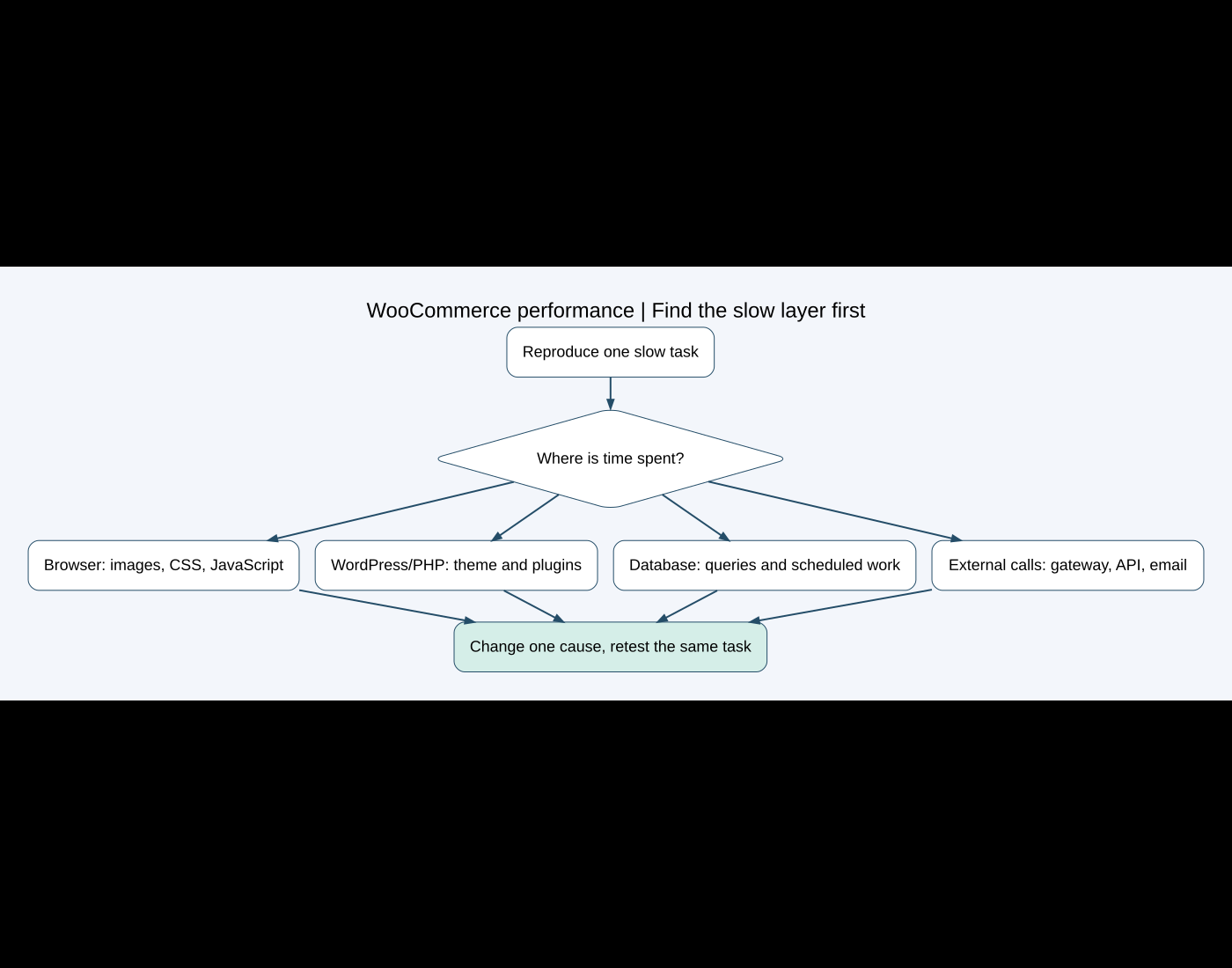
This separation avoids compressing images to solve a slow database query or upgrading hosting to compensate for a multi-megabyte hero video. Both improvements can be useful, but only one may address the measured delay.
3. Check product media and page composition
I would compare uploaded image dimensions with their displayed size, confirm responsive image variants are being used and review gallery behavior. Converting an image format does not help enough if the page still downloads an unnecessarily large source.
I would also count product variations, recommendation blocks, tracking tags, sliders and third-party widgets. A complex product page can request substantial data and run many scripts. I would remove or defer only components that the business agrees are nonessential, then retest.
4. Investigate plugins and the theme on staging
I would not deactivate payment, shipping or security extensions on a live store during customer activity. On staging, with sensitive data handled appropriately, I would reproduce the problem and isolate one group at a time.
A plugin count alone is not evidence. One inefficient extension can matter more than several small ones. I would look for the component associated with the slow request, review logs and profiling evidence, and confirm the effect by repeating the same task.
My plugin conflict guide explains the controlled isolation process. Changes should remain reversible and should not generate real gateway calls or customer emails from staging.
5. Treat caching as a set of boundaries
Full-page caching can help public catalog pages, but cart, checkout and account pages contain customer-specific state. I would confirm that the cache configuration respects the WooCommerce stack and test add-to-cart, coupons, shipping, login and checkout after any change.
I would not disable WooCommerce cart fragments globally as generic advice. Their impact depends on the theme, cart widget and WooCommerce behavior. Removing them without understanding the visible mini-cart can create stale cart information.
Likewise, delaying JavaScript can improve a lab metric while delaying variation controls, consent, tracking or payment components. I would keep an exclusion list based on verified dependencies and test real shopping tasks.
6. Inspect database and background work
I would check database size, autoloaded options, repeated queries, expired transients where relevant, session growth and WooCommerce Scheduled Actions. Cleanup should begin with a current backup and a known owner for each table; deleting unfamiliar rows directly is not a performance strategy.
WooCommerce’s HPOS developer documentation explains that HPOS uses dedicated order tables and indexes, reducing work on shared WordPress tables. I would first check extension compatibility, backup and synchronization status. Enabling HPOS is a planned migration, not an emergency speed switch.
A large action queue needs classification. Pending actions may be normal scheduled work; failed or repeatedly overdue actions need investigation. I would inspect hooks, timestamps and logs before clearing anything.
7. Test external services during the slow action
Shipping rates, tax calculation, fraud checks, currency services, CRM calls and payment gateways can add latency. If checkout alone is slow, I would inspect its network requests and WooCommerce logs, then compare an approved test configuration.
A timeout may originate outside WordPress, but custom code can make it worse by calling an API repeatedly or without a reasonable timeout. I would document what happens when the service is unavailable: does checkout show a clear error, fall back safely or wait indefinitely?
8. Evaluate hosting with evidence
I would review CPU, memory, PHP workers, slow logs, database connections and traffic patterns around the recorded times. “Shared hosting is slow” is not a complete conclusion. A server upgrade may be justified when requests queue under legitimate load, but it will not remove unused scripts or repair a blocking API.
I would also verify the active PHP version and extension compatibility in staging before changing production. Hosting, object caching and CDN configuration need to fit the specific environment.
9. Change one meaningful cause and retest
I would keep a change log with the baseline, hypothesis, modification, result and rollback. Bundling a cache plugin, image conversion, theme change and hosting move into one test makes it difficult to know which change helped or caused a regression.
- Repeat the same product, cart and checkout tasks.
- Test logged-out and relevant logged-in states.
- Verify variable products, mini-cart, coupons, shipping and payment methods.
- Confirm orders, emails and scheduled work continue correctly.
- Check mobile interaction and accessibility, not only a desktop score.
- Review server resource use during the same scenario.
Common shortcuts I would avoid
- Quoting an unsourced conversion statistic as a guaranteed business outcome.
- Installing multiple optimization plugins with overlapping features.
- Clearing database tables without understanding ownership and recovery.
- Disabling dynamic WooCommerce behavior globally to improve a score.
- Testing live checkout with repeated real charges.
- Changing the theme before proving it is the bottleneck.
When the store needs deeper development work
If the slow request comes from custom queries, variation logic, repeated API calls or incompatible order access, the fix may require code rather than another setting. That is where profiling, extension compatibility and a staging test plan matter.
For checkout-specific errors, use my checkout diagnosis guide. For ongoing care, see the WordPress maintenance checklist.
If your WooCommerce store has a reproducible slow page or task, send me the URL, device, action and approximate time. I can help trace the slow layer and plan a change that can be measured and rolled back.
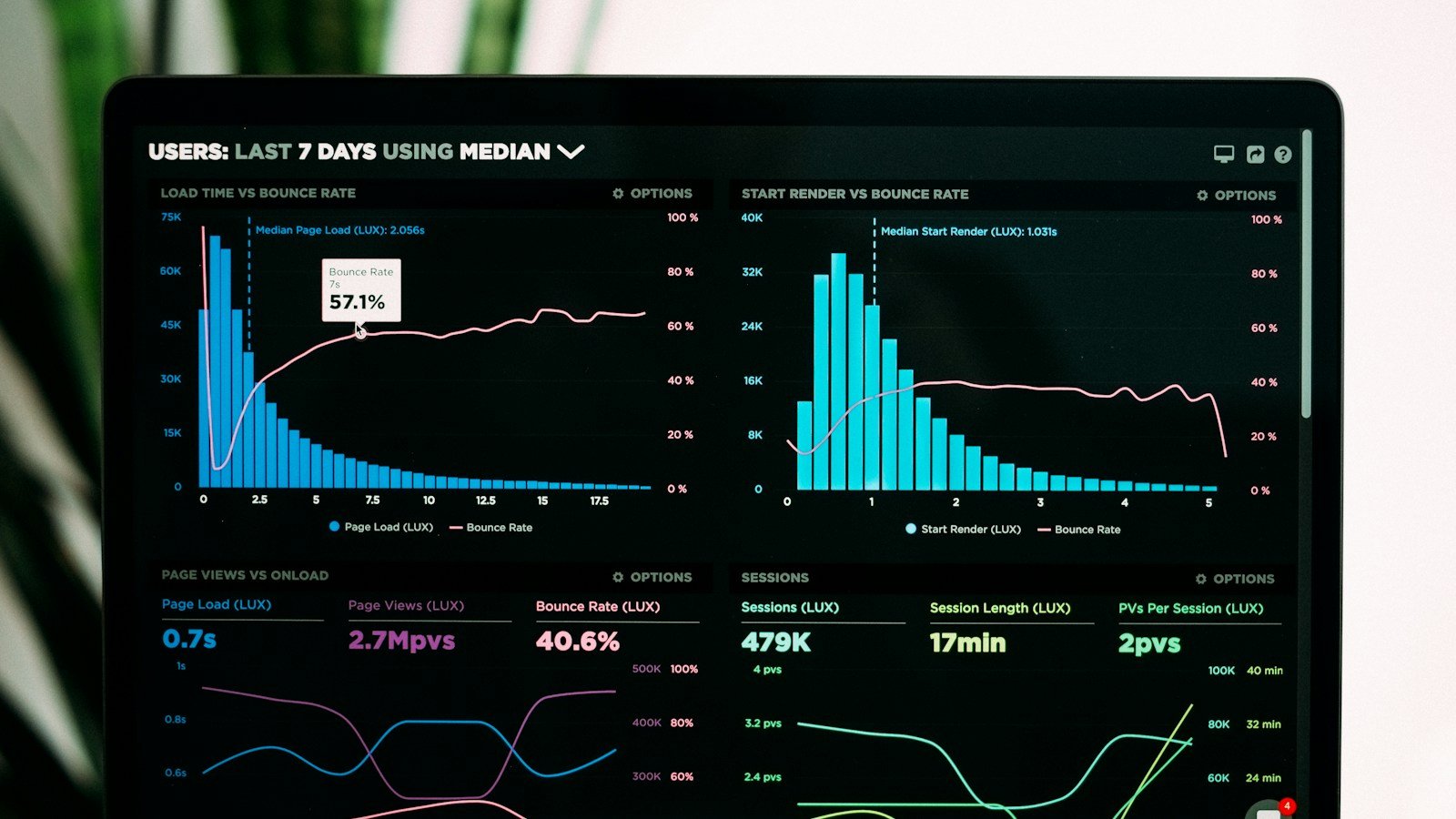
Featured photo: Luke Chesser on Unsplash. Diagram created for this article. WooCommerce technical documentation reviewed October 10, 2026.
Need implementation help?
Turn the technical fix into a reliable production solution.
If this article describes a problem you are dealing with, I can review the current setup, identify the right implementation path, and build or fix it without adding unnecessary complexity.