
An AI chatbot can make a WordPress website more useful when it solves a real visitor problem. Instead of adding a chat bubble just because AI is popular, the best setup answers common questions, helps visitors find the right page or product, captures qualified leads, and hands complicated conversations to a person.
In this guide, I’ll explain how I would plan an AI chatbot for a WordPress or WooCommerce website in 2026, what to connect it to, what to avoid, and when a custom implementation is worth the extra work.

Photo by Mohamed Nohassi on Unsplash.
What is an AI chatbot for WordPress?
An AI chatbot for WordPress is a conversational assistant embedded on your website. Unlike a basic live-chat widget with fixed replies, an AI chatbot can understand natural-language questions and respond using instructions, website content, FAQs, product information, or other approved business data.
The important part is the data source. A useful chatbot should know what it is allowed to answer and where that information comes from. If it is connected only to a general AI model with no business context, it may produce confident but incorrect answers.
What should a WordPress AI chatbot actually do?
For most business websites, I would start with a small number of high-value tasks:
- Answer common service, pricing, process, and availability questions.
- Help visitors find the correct page, service, article, or product.
- Capture a visitor’s name, email, and project requirements when appropriate.
- Explain WooCommerce product details, shipping information, returns, and store policies.
- Send complex or sensitive questions to a human instead of guessing.
This keeps the project measurable. You can review the questions visitors ask, identify missing information, and improve the chatbot over time instead of trying to automate everything from day one.
How to add an AI chatbot to WordPress
There are three common approaches.
1. Use a ready-made WordPress AI chatbot plugin
This is usually the fastest option for a small website. You install the plugin, connect the required AI service, configure the assistant, and add business information or selected website content.
The advantage is speed. The disadvantage is that you are limited by the plugin’s data sources, design options, integrations, logging, and security model.
2. Connect an external chatbot platform
Some businesses use an external AI support or automation platform and embed it into WordPress. This can be useful when the same assistant also needs to work with a CRM, help desk, booking system, or other channels.
Before choosing this route, check how customer data is stored, whether conversations are retained, what happens when the service is unavailable, and whether the platform can restrict answers to your approved information.
3. Build a custom WordPress AI integration
A custom integration makes sense when the chatbot needs to interact with WordPress data in a controlled way. For example, you may want it to search specific custom post types, use ACF fields, look up WooCommerce product information, capture structured leads, or call an internal API.
The custom approach takes more development work, but it gives you control over permissions, validation, caching, logging, fallback behavior, and the exact business workflow.
Step-by-step setup I recommend
Step 1: Define the questions the chatbot should answer
Start with real customer questions. Review contact-form messages, support emails, sales conversations, product questions, and FAQs. A list of 20 to 50 genuine questions is more useful than a vague instruction such as “answer everything about my business.”
Step 2: Choose trusted information sources
Decide which pages, FAQs, products, policies, or documents are authoritative. Keep the source set focused. The chatbot should not treat outdated drafts, private notes, or irrelevant pages as equal to current published information.
Step 3: Add clear fallback rules
The assistant needs permission to say that it does not know. A safe fallback might ask the visitor to contact your team or submit a form. For pricing disputes, refunds, legal questions, account changes, or other sensitive actions, human review is usually the better choice.
Step 4: Match the chatbot to your website design
The widget should feel like part of the site rather than a third-party popup. Check typography, spacing, button styles, mobile behavior, keyboard navigation, and whether it covers important interface elements on smaller screens.
Step 5: Test before sending real visitors to it
Create a simple test sheet containing normal questions, unclear questions, incorrect assumptions, spelling mistakes, and questions the chatbot should refuse or escalate. Test on desktop and mobile, and confirm that links and product references point to the right pages.
AI chatbots for WooCommerce
WooCommerce stores have especially useful chatbot opportunities because customers repeatedly ask about products, sizes, compatibility, shipping, stock, returns, and order processes. WooCommerce itself is also expanding official AI and MCP-related workflows for store administration and development, which shows how quickly AI is moving closer to real WordPress data and actions.
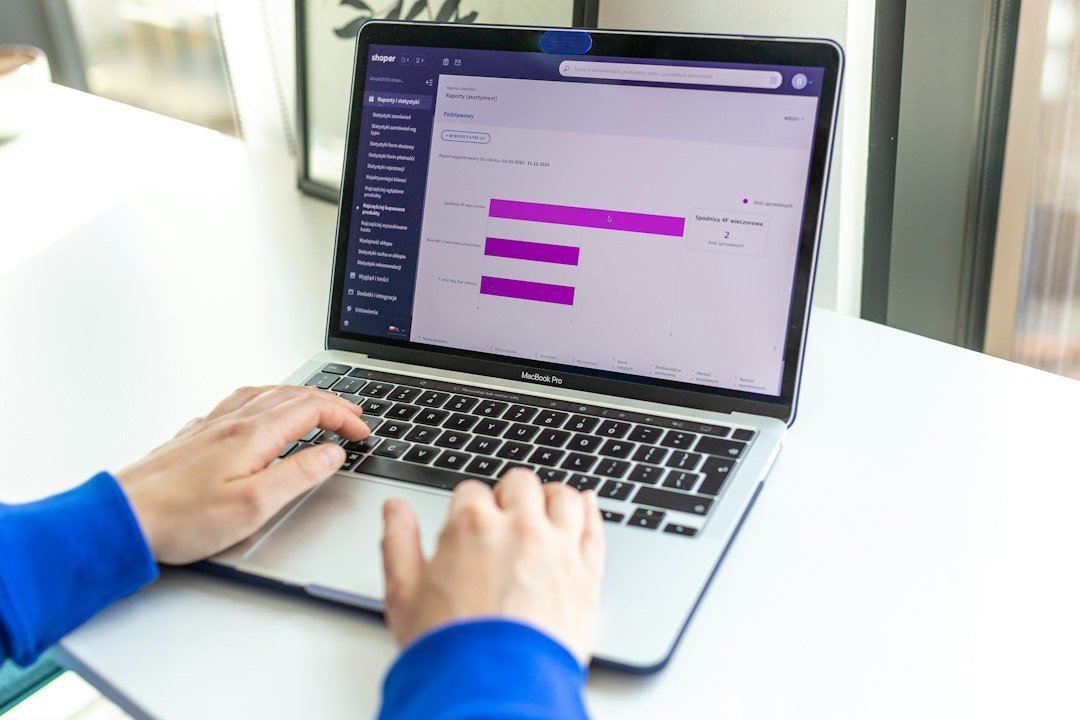
Photo by Shoper on Unsplash.
You can read the current official WooCommerce AI documentation at WooCommerce AI and its developer AI overview at WooCommerce Developer Docs.
For a customer-facing store chatbot, I would still keep high-risk actions such as refunds, payment changes, or account changes behind explicit authentication and human approval.
Will an AI chatbot slow down WordPress?
It can, but it does not have to. A poorly implemented widget may load large JavaScript bundles on every page, make unnecessary external requests, or delay rendering.
I normally check whether the chatbot script can load asynchronously, whether it needs to appear on every page, how much JavaScript it adds, and whether the initial chat interface can be lazy-loaded. Performance should be tested after installation rather than assumed.
Security and privacy checks
Before launch, confirm what information leaves your website and where it is processed. Do not send passwords, payment details, private account information, or unnecessary personal data to an AI service.
For custom WordPress integrations, I prefer narrow permissions rather than broad administrator-level access. Each action should be validated on the server, and important changes should be logged. If the assistant can perform actions instead of only answering questions, permission boundaries become even more important.
How much does a WordPress AI chatbot cost?
The cost depends on how much you need. A simple FAQ chatbot can be inexpensive, while a custom assistant connected to WooCommerce, a CRM, custom post types, or external APIs requires development and ongoing testing.
When comparing options, consider more than the monthly subscription. Include AI usage, maintenance, data updates, analytics, human support, and the time required to keep answers accurate.
When should you hire a WordPress developer?
A ready-made plugin is often enough when you only need basic FAQs and lead capture. A developer becomes more valuable when the chatbot needs custom design, business-specific logic, WooCommerce data, API integrations, controlled actions, performance optimization, or security review.
If your project is more complex, the goal should not be “install an AI chatbot.” The goal should be to build a reliable visitor workflow that happens to use AI.
Related WordPress AI guides
If you are planning a broader AI strategy for your website, you may also find these useful:
- Using AI to Improve Website Usability: A Practical WordPress Workflow
- Using AI for WordPress Content and SEO: My Practical Review Process
Final thoughts
An AI chatbot can be valuable on WordPress when it has a clear purpose, trusted information, safe fallback rules, and proper testing. Start with the questions your customers already ask, keep the first version focused, and expand only when the data shows that visitors need more.
If you need a custom AI chatbot or a deeper WordPress/WooCommerce integration, I can help plan the workflow, connect the required systems, and build it around your existing website rather than forcing your business into a generic chatbot setup.
Need implementation help?
Turn the technical fix into a reliable production solution.
If this article describes a problem you are dealing with, I can review the current setup, identify the right implementation path, and build or fix it without adding unnecessary complexity.